
Anúncios
Modern technology has transformed our smartphones into powerful multi-purpose tools. Among the countless features now available at our fingertips, the ability to measure anything around us using just our phone has revolutionized how we approach everyday tasks.

Explore AR Measurement Tools
Gone are the days when you needed to carry a physical tape measure everywhere. Whether you’re planning furniture placement, checking room dimensions, or working on DIY projects, your smartphone can handle it all with surprising accuracy.
The integration of augmented reality (AR) and advanced sensors in modern smartphones has made digital measuring tools incredibly reliable. Let’s explore how you can measure virtually anything using your phone and discover the best apps and techniques available today.
📱 How Smartphone Measuring Technology Actually Works
Understanding the technology behind phone-based measurements helps you use these tools more effectively. Most modern smartphones utilize a combination of sophisticated hardware and software to deliver accurate results.
The primary technology powering these measurement capabilities is augmented reality, which overlays digital information onto the real world through your camera. Your phone’s camera, combined with motion sensors and depth-sensing technology, creates a spatial map of your surroundings.
LiDAR sensors, found in newer iPhone models and some Android devices, emit light pulses that bounce off objects and return to the sensor. By calculating the time it takes for light to return, the device determines precise distances and creates detailed 3D maps of spaces.
Even without LiDAR, smartphones use sophisticated algorithms that analyze visual data from the camera. These algorithms identify surfaces, edges, and reference points to calculate dimensions with impressive accuracy.
🎯 The Most Reliable Measuring Apps Available Today
The app marketplace offers numerous measurement solutions, each with unique features and capabilities. Choosing the right one depends on your specific needs and device compatibility.
Apple’s Measure App: Built-In Simplicity
iPhone users have access to the native Measure app, which comes pre-installed on devices running iOS 12 and later. This app leverages Apple’s ARKit framework to provide reliable measurements without additional downloads.
The Measure app excels at measuring straight lines, rectangular objects, and even automatically detecting the dimensions of objects like picture frames or books. On devices with LiDAR sensors, the accuracy improves significantly, especially in low-light conditions.
Users appreciate its clean interface and straightforward functionality. Simply point your camera at what you want to measure, tap to place measurement points, and the app displays dimensions instantly.
Google Measure and AR-Enabled Alternatives
Android users previously had access to Google Measure, though the app has been discontinued. However, the technology lives on in various third-party applications that use Google’s ARCore platform.
Apps like AR Ruler and Measure by Google integrate similar functionality with enhanced features. These applications work across a wide range of Android devices that support ARCore technology.
The advantage of these apps lies in their versatility. Many offer additional tools like angle measurement, area calculation, and the ability to save measurements with photo documentation.
Professional-Grade Measurement Applications
For users requiring higher precision, professional applications like MagicPlan, RoomScan Pro, and EasyMeasure provide advanced capabilities. These apps cater to real estate professionals, interior designers, and contractors who need detailed floor plans and measurements.
These premium solutions often include features like automatic room scanning, PDF export of floor plans, and integration with professional design software. While they typically require a subscription, the time saved and accuracy gained justify the investment for professional use.
🏠 Practical Applications for Home and DIY Projects
The convenience of phone-based measuring tools shines brightest in everyday home improvement scenarios. Understanding practical applications helps you maximize these tools’ potential.
Furniture Shopping Made Effortless
One of the most frustrating experiences in furniture shopping is bringing home a piece that doesn’t fit. Measurement apps eliminate this problem entirely. Before purchasing any furniture, quickly measure the intended space using your phone.
Many furniture retailers now offer AR apps that let you visualize items in your space before buying. IKEA Place, for example, allows you to see exactly how furniture looks and fits in your room using accurate scale measurements.
This technology prevents costly mistakes and returns while giving you confidence in your purchasing decisions. You can measure doorways, hallways, and staircases to ensure your new furniture can actually make it to the desired location.
Home Renovation Planning
Planning renovations becomes significantly easier when you can quickly capture room dimensions. Whether you’re calculating how much paint to buy, determining flooring needs, or planning a kitchen remodel, your phone provides instant measurements.
Create a complete record of room dimensions by taking photos with measurements overlaid. Share these images with contractors, designers, or store associates to get accurate quotes and recommendations.
The ability to measure ceiling heights, window dimensions, and wall lengths without assistance streamlines the entire planning process. You can explore different layout options and make informed decisions about space utilization.
Hanging Pictures and Artwork Perfectly
Achieving perfectly aligned artwork requires precision. Measurement apps help you determine exact center points, ensure consistent spacing between multiple pieces, and verify that everything hangs level.
Use your phone to measure distances from ceiling corners and adjacent walls, creating a virtual grid that ensures professional-looking results. This approach works equally well for installing shelves, mirrors, or any wall-mounted items.
💼 Professional Uses Beyond DIY Projects
While home applications are impressive, professionals across various industries have adopted smartphone measuring technology as an essential tool.
Real Estate and Property Management
Real estate agents use measurement apps to create accurate property listings without waiting for professional surveyors. Quick room measurements help create detailed listing descriptions and provide potential buyers with valuable information.
Property managers benefit when assessing spaces for tenant improvements or calculating areas for flooring replacement and repairs. The ability to generate instant measurements during property walkthrough saves time and improves efficiency.
Construction and Contracting Work
Contractors increasingly rely on phone-based measurements for preliminary site assessments and quick verification checks. While professional surveying equipment remains necessary for final measurements, smartphones provide valuable support throughout projects.
These tools help contractors provide faster estimates to clients, verify material deliveries, and make on-site adjustments without always needing traditional measuring tools. The documentation features allow them to maintain visual records linked to specific measurements.
Interior Design and Space Planning
Interior designers leverage measurement apps to create initial space assessments quickly. Combined with AR visualization tools, they can show clients realistic representations of proposed designs with accurate scaling.
The ability to measure and photograph spaces simultaneously creates comprehensive documentation that informs design decisions. Designers can work more efficiently, reducing time spent on manual measurements during initial consultations.
🎓 Tips for Maximum Accuracy and Best Results
While smartphone measurement technology is impressive, following best practices ensures the most accurate results possible.
Optimize Your Environment
Lighting conditions significantly affect measurement accuracy. Well-lit spaces with even lighting produce the best results. Avoid measuring in dim lighting or situations with extreme backlighting that can confuse camera sensors.
Clear the area of obstacles and ensure surfaces are visible to your camera. The more reference points your device can identify, the more accurate your measurements become.
Calibrate and Verify
Many apps include calibration features that improve accuracy. Take time to properly calibrate your app according to manufacturer instructions, which typically involves placing your phone on a flat surface or measuring a known distance.
For critical measurements, verify results with a traditional measuring tape. While phone measurements are remarkably accurate, physical verification provides peace of mind for important projects.
Use Stable Hand Positioning
Steady hands produce better measurements. Move slowly and deliberately when placing measurement points, and consider bracing your phone against a stable surface when possible.
For longer measurements, work in segments rather than attempting to measure an entire wall in one go. Breaking down large measurements into smaller sections often yields more accurate total results.
Understand Your Device’s Limitations
Recognize that not all smartphones offer the same measurement capabilities. Devices with LiDAR sensors generally provide superior accuracy, especially for complex measurements and detailed 3D scanning.
Standard devices without advanced sensors still work well for most everyday measurements but may struggle with very long distances, extremely small objects, or highly reflective surfaces.
🚀 The Future of Mobile Measurement Technology
As smartphone technology continues advancing, measurement capabilities are becoming even more sophisticated and accessible.
Emerging technologies like improved LiDAR sensors, enhanced computer vision algorithms, and more powerful processors will deliver unprecedented accuracy. Future devices may offer precision rivaling professional surveying equipment.
Integration with artificial intelligence will enable smartphones to not just measure but also understand context. Imagine pointing your phone at a room and receiving automatic recommendations for furniture placement, optimal lighting positions, or energy-efficient layouts.
The convergence of measurement technology with other smartphone capabilities opens exciting possibilities. Combining measurements with augmented reality, 3D modeling, and cloud-based sharing will transform how professionals and consumers approach spatial planning.
⚡ Overcoming Common Challenges and Troubleshooting
Even with advanced technology, users occasionally encounter difficulties when measuring with their phones. Understanding common issues helps you work around limitations.
Dealing with Reflective or Transparent Surfaces
Glass, mirrors, and highly polished surfaces can confuse measurement sensors. When measuring these materials, look for edges or frames as reference points rather than the reflective surface itself.
Consider placing a temporary non-reflective marker on transparent surfaces when necessary. Removable tape or sticky notes provide reference points without causing damage.
Measuring in Challenging Spaces
Cramped areas with limited camera visibility pose challenges for measurement apps. In these situations, measure in sections and combine results, or use the phone’s selfie camera if the app supports it.
For outdoor measurements in bright sunlight, shield your screen to improve visibility and help your camera sensors function optimally. Cloudy days actually provide better conditions for outdoor measuring than bright, sunny ones.
Addressing Calibration Issues
If measurements seem consistently inaccurate, recalibrate your app and restart your phone. Software updates can sometimes affect sensor performance, so ensure your device and apps are current.
Check that your camera lens is clean, as smudges or dirt can significantly impact measurement accuracy. A microfiber cloth quickly resolves this common issue.
🌟 Maximizing Value from Free vs. Paid Measurement Apps
The app marketplace offers both free and premium measurement solutions. Understanding the differences helps you choose the right option for your needs.
Free apps typically provide basic measurement functionality suitable for casual users and simple projects. They handle standard length measurements, area calculations, and basic documentation.
Paid applications justify their cost through advanced features like comprehensive floor plan creation, professional reporting formats, cloud storage integration, and enhanced accuracy algorithms. These features matter most to professionals who measure frequently.
Consider starting with free options to learn measurement app functionality. Upgrade to paid versions only when you identify specific features that would significantly improve your workflow or measurement needs.
🔧 Integrating Phone Measurements with Other Digital Tools
Modern measurement apps don’t exist in isolation. They integrate seamlessly with other productivity tools and platforms to enhance functionality.
Many apps export measurements directly to design software, spreadsheets, or project management platforms. This integration eliminates manual data entry and reduces errors when transitioning from measurement to planning phases.
Cloud synchronization across devices means measurements taken on your phone instantly appear on tablets or computers. This flexibility supports collaborative work and ensures measurement data remains accessible regardless of which device you’re using.
Photo documentation with embedded measurements creates comprehensive records that communicate complex spatial information clearly. These annotated images become valuable references throughout project lifecycles.
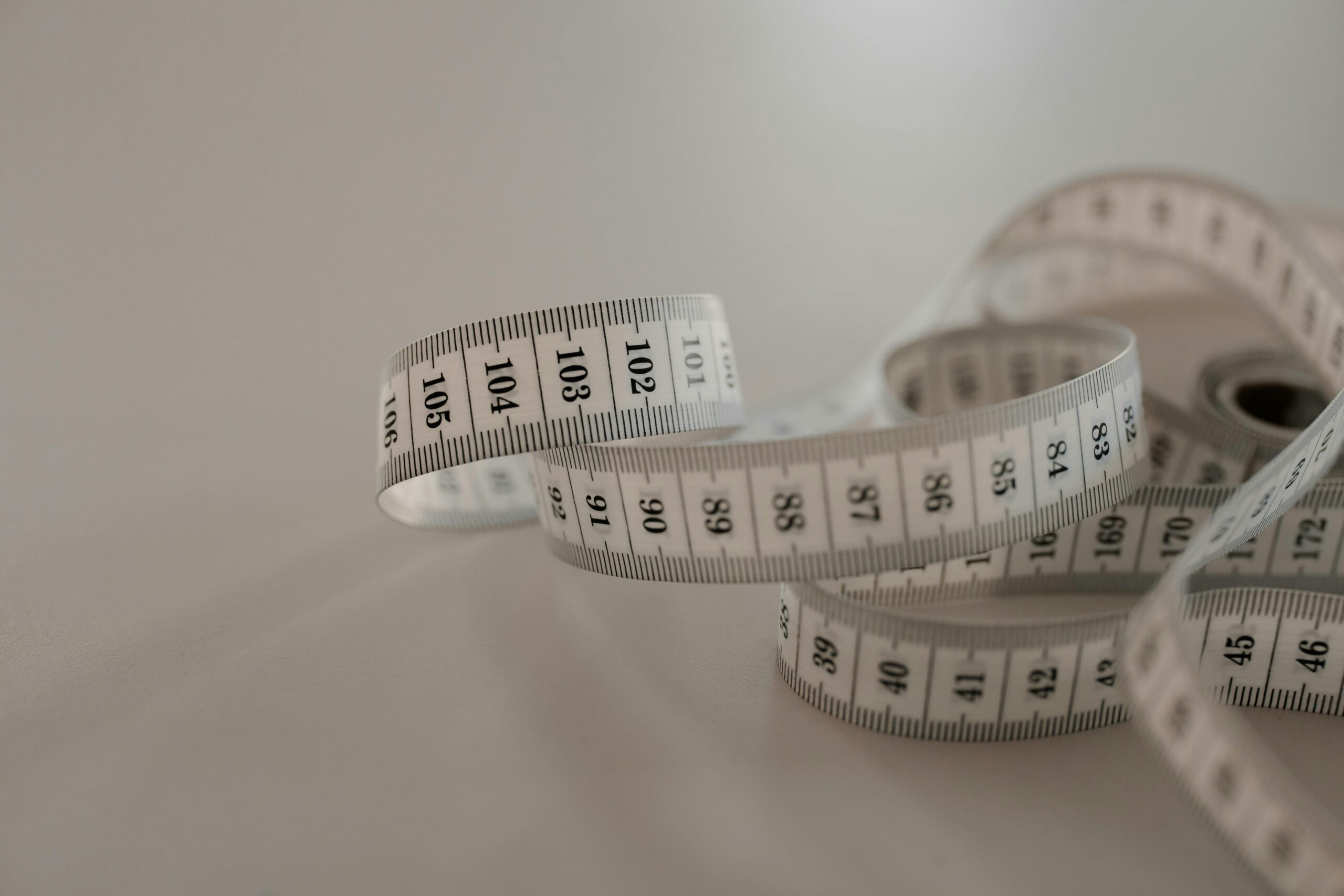
✨ Making the Switch: Transitioning from Traditional Tape Measures
For those accustomed to traditional measuring tools, adapting to smartphone-based measurement requires a mindset shift but offers substantial rewards.
Start by using both methods simultaneously. Measure with your phone, then verify with a tape measure. This parallel approach builds confidence in digital measurement accuracy while helping you learn app functionality.
Recognize situations where traditional tools still excel. Measuring curved surfaces, working in environments with poor lighting, or needing to measure while wearing gloves may favor conventional tape measures.
However, for the vast majority of everyday measurement tasks, your smartphone provides speed, convenience, and documentation capabilities that traditional tools simply cannot match. The ability to instantly share measurements with others, maintain visual records, and work hands-free represents a genuine advancement in measurement technology.
Embracing smartphone measurement tools doesn’t mean abandoning traditional methods entirely. Instead, it means expanding your capabilities and choosing the best tool for each specific situation. Your phone becomes one more valuable option in your problem-solving toolkit.
